



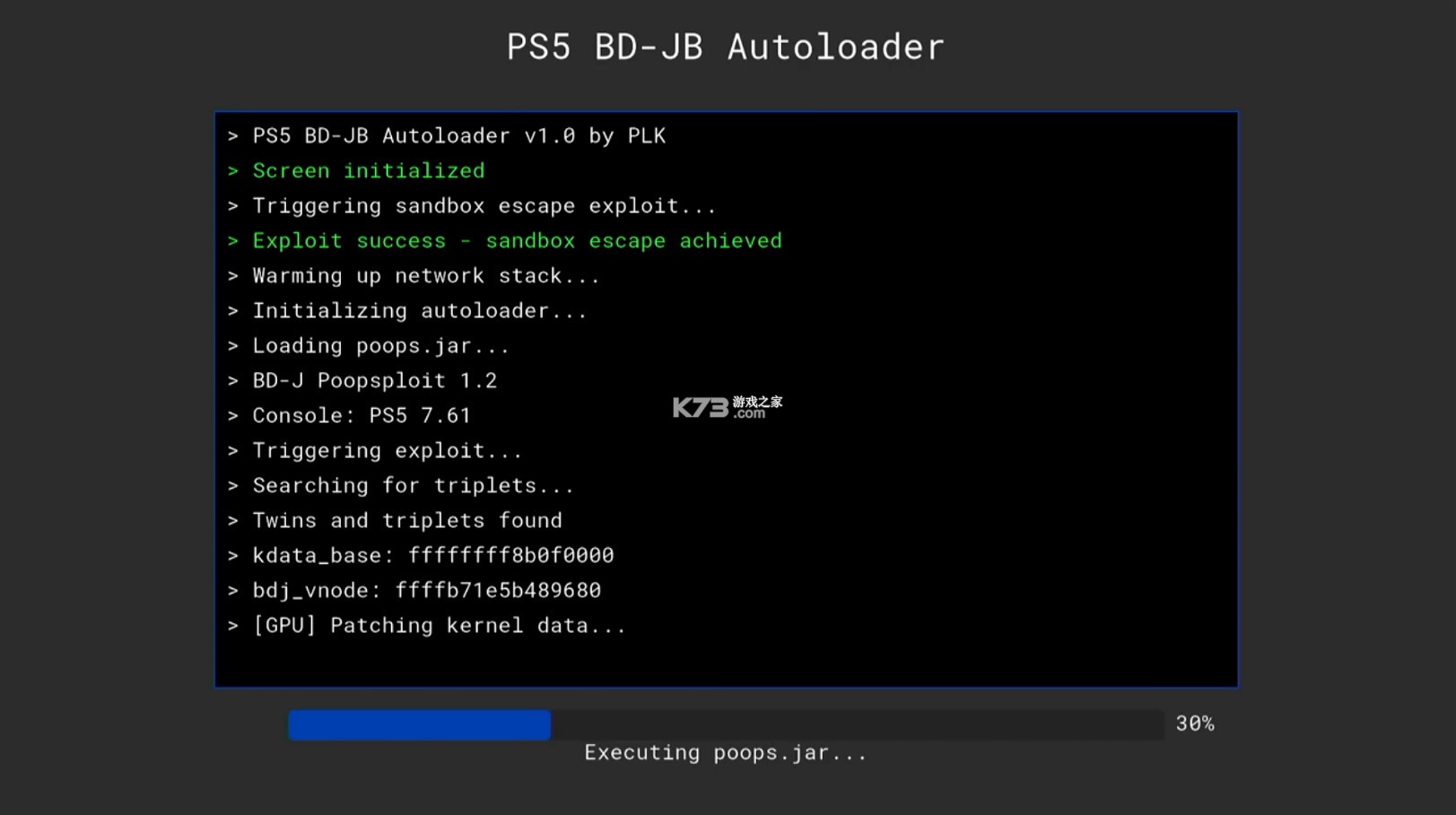
ps5 BD-JB Autoloader是一款在PS5破解领域广为人知的辅助工具,它的核心使命是简化利用BD-JB漏洞的流程。对于希望通过备份游戏或运行自制软件来扩展主机功能的玩家而言,这款工具提供了一个相对便捷的入口。它主要针对特定型号的PS5设计,通过巧妙的方式触发系统漏洞,从而为后续的自制系统或游戏加载创造条件。其原理并不复杂,但实用性极强,解决了早期PS5破解过程中繁琐的手动操作问题。软件本身小巧,界面直观,即便是对技术了解不多的玩家,也能在阅读简单教程后快速上手。
| 折腾方案 | 系统版本 | 备注 |
| 方案A (4.03-12.70)【Y2JB Autoloader】 |
4.03-10.01 | |
| 10.02-12.00 (光驱版) | 直接看方案B | |
| 10.02-12.00(数字版)、12.02-12.70 | 每次开机都需要50分钟 | |
| 方案B (4.03-12.00)【BD-JB Autoloader】 | 4.03-12.00(光驱版) | 使用最新的BD-JB Autoloader v1.5.0,傻瓜操作,很快很爽。而且感觉用光盘折腾稳定性比Y2JB更好 |
| 方案C (最高支持12.00) 【WebKit网页Poopxploit破解】 | 最高支持12.00 | 10.02-12.00(数字版)的福音。稳定性肯定不如方案A、方案B,但总好过每次折腾需要等待50分钟。 |
| 1、数据整理截至到2026.8.11 12点50分; 2、更低的系统版本(5.5之前的)还有很多破解方式,未接触过就不一一罗列了。 |
||
核心功能明确,专注实现BD-JB漏洞的自动化触发,操作门槛低。
兼容性出色,针对多款初代厚机型号进行了适配,覆盖用户群广。
工具体积小巧,无需复杂安装,下载解压即可直接运行,体验流畅。
社区驱动更新,持续修复问题,可靠性有保障。
适合配合其他自制软件使用,是PS5破解流程中不可或缺的一环。
PS5 BD-JB Autoloader PS5 BD-JB 自动加载器
Fork of BD-JB5
BD-JB5 的分支
Automatically loads the kernel exploit and your elf payloads.
自动加载内核漏洞利用程序和您的 elf 有效载荷。
Supports PS5 firmwares 4.03-12.00.
支持 PS5 固件 4.03-12.00。
Other Autoloaders: 其他自动装弹机:Y2JB |BD-JB|Lua
How to Use 如何使用:
There are two ways to use the autoloader:
使用自动加载器有两种方法:
Option 1: Payload Manager 选项 1:有效载荷管理器
If no autoload.txt config is found, the autoloader will automatically launch Payload Manager — a fully-featured PS5 payload manager with a web UI. This lets you configure and send payloads directly from your browser, without needing to manually set up config files or transfer ELF files ahead of time.
如果未找到 autoload.txt 配置文件,自动加载器将自动启动 Payload Manager—— 一个功能齐全的 PS5 有效载荷管理器,带有 Web 用户界面。这使您可以直接通过浏览器配置和发送有效载荷,而无需事先手动设置配置文件或传输 ELF 文件。
Just run the autoloader — if there's nothing configured, Payload Manager starts automatically.
只需运行自动加载器——如果没有进行任何配置,有效载荷管理器将自动启动。
Note: Payload Manager also has its own built-in autoload feature, which lets you configure payloads to load automatically on startup — all managed through its web UI. This is separate from the autoload.txt mechanism described below.
注意: 有效载荷管理器也内置了自动加载功能,允许您配置有效载荷在启动时自动加载——所有操作均可通过其 Web 用户界面完成。这与下文所述的 autoload.txt 机制不同。
Option 2: Manual Config (autoload.txt) 选项 2:手动配置( autoload.txt )
For a fixed, automated payload chain, you can configure payloads manually:
对于固定的、自动化的有效载荷链,您可以手动配置有效载荷:
Create a directory named ps5_autoloader.
创建一个名为 ps5_autoloader 的目录。
Inside this directory, place your .elf / .bin files, and an autoload.txt file.
在这个目录下,放置你的 .elf / .bin 文件和一个 autoload.txt 文件。
In autoload.txt, list the files you want to load, one filename per line.
在 autoload.txt 中,列出要加载的文件,每行一个文件名。
Filenames are case-sensitive — ensure each name exactly matches the file.
文件名区分大小写——请确保每个名称与文件完全匹配。
You can add lines like !1000 to make the loader wait 1000 ms before sending the next payload.
您可以添加类似 !1000 行,使加载器在发送下一个有效载荷之前等待 1000 毫秒。
Put the ps5_autoloader directory in one of these locations (priority order - highest first):
将 ps5_autoloader 目录放在以下位置之一(优先级顺序 - 最高优先级在前):
Root of a USB drive
U 盘根目录
Internal drive: /data/ps5_autoloader
内部驱动器: /data/ps5_autoloader
Note: When an autoload.txt config is found, Payload Manager is not launched automatically. If you also want Payload Manager available, place pldmgr.elf in your ps5_autoloader directory and add it to autoload.txt.
注意: 如果找到了 autoload.txt 配置,有效载荷管理器不会自动启动。如果您也希望有效载荷管理器可用,请将 pldmgr.elf 放在 ps5_autoloader 目录中,并将其添加到 autoload.txt 中。
Setup Instructions 安装说明:
This autoloader is deployed via a BD-R disc.
该自动装弹器通过 BD-R 光盘部署。
Download the PS5 BD-JB Autoloader ISO from the Releases page.
从发布页面下载 PS5 BD-JB 自动加载器 ISO 。
Burn the ISO to a BD-R(E) disc using software like ImgBurn (use UDF 2.50 filesystem).
使用 ImgBurn 等软件将 ISO 文件刻录到 BD-R(E) 光盘(使用 UDF 2.50 文件系统)。
Insert the disc into the PS5 and launch it from the "Media" tab.
将光盘插入 PS5,然后从“媒体”选项卡启动它。
Note: Since this is a disc-based loader, updates to the loader itself require burning a new ISO. However, your payloads on USB or internal storage can be updated at any time.
注意:由于这是一个基于光盘的加载器,因此加载器本身的更新需要刻录新的 ISO 镜像。但是,您可以随时更新存储在 USB 或内部存储设备上的有效载荷。
Additional Info 附加信息:
How to use custom ELF Loader version?
如何使用自定义 ELF 加载器版本?
By default, the autoloader uses a custom version of elfldr that only accepts connections from the PS5 itself (localhost). This improves security by preventing other devices on your network from sending payloads to your console.
默认情况下,自动加载器使用自定义版本的 elfldr,该版本仅接受来自 PS5 主机(本地主机)的连接。这可以防止网络上的其他设备向您的主机发送恶意代码,从而提高安全性。
If you want to use a "normal" ELF Loader that allows sending payloads from any device:
如果您想使用允许从任何设备发送有效载荷的“普通”ELF 加载器:
Place your custom ELF Loader (e.g. elfldr.elf) in the ps5_autoloader directory.
将你的自定义 ELF 加载器(例如 elfldr.elf )放在 ps5_autoloader 目录中。
Add elfldr.elf to your autoload.txt.
将 elfldr.elf 添加到您的 autoload.txt 中。
Note: If you are loading other payloads right after elfldr.elf in your autoload.txt, add a sleep command immediately after it (like !4000 to sleep for 4 seconds) to give the new ELF Loader time to start up and listen before subsequent payloads are sent.
注意:如果您在 autoload.txt 中紧接着加载 elfldr.elf 之后的其他有效载荷,请立即在其后添加一个 sleep 命令(例如 !4000 以休眠 4 秒),以便让新的 ELF 加载器有时间启动和监听,然后再发送后续的有效载荷。Example autoload.txt:
示例 autoload.txt :
# Load custom ELF Loader
elfldr.elf
# Give it 4 seconds to start up (only needed if sending more payloads)
!4000
# Send other payloads
ftpsrv.elf
Based on BD-JB5 by Gezine and chained with poops and the old-school autoloader.
基于 Gezine 的 BD-JB5,并结合了粪便和老式自动装弹器。
PS5 with a working disc drive and firmware version between 4.03 and 12.00.
PS5,光驱功能正常,固件版本介于 4.03 和 12.00 之间。
You'd need a USB drive to setup the Autoload sequence for the first time.
首次设置自动加载序列时,您需要一个 U 盘。
If succeeded, the disc player would close automatically and run the Autoloader sequence. if you got stuck at triple free or the failed and reboot notification showed up, just reboot and try again.
如果成功,光盘播放器将自动关闭并运行自动加载程序。如果卡在 triple free 界面或出现 failed and reboot 通知,只需重启并重试即可。
Put payloads in it. Then put this folder to /mnt/usb?/ or /data/. Or implement it into BD disc root path. It could read /mnt/disc/ps5_autoloader too.
将有效载荷放入其中。然后将此文件夹放入 /mnt/usb?/ 或 /data/ 目录。或者将其添加到蓝光光盘根路径中。它也可以读取 /mnt/disc/ps5_autoloader 目录。
/mnt/usb?/ps5_autoloader -> /data/ps5_autoloader -> /mnt/disc/ps5_autoloader
It's the script file to define payloads to run automatically by Autoloader. Edit this file according to the example in it.
这是用于定义自动加载器要自动运行的有效载荷的脚本文件。请根据文件中的示例编辑此文件。
Example: 例子:
!5000
ftpsrv-ps5-0.21.elf
!1000
shadowmountplus-1.7alpha1.elf
!3000
kstuff-lite-1.09beta.elf
Or if you would like itsPLK's Payload Manager to take over the autoload sequence, then setup like below.
或者,如果您希望 itsPLK 的有效载荷管理器接管自动加载序列,请按如下方式设置。
!3000
pldmgr_v0.5.1.elf
It's able to update /data/ps5_autoloader directory with it.
它能够用它更新 /data/ps5_autoloader 目录。
Wrap anything into ps5_autoloader_update.zip and put it into a USB storage device formatted as FAT32 or EXFAT. Plug it to PS5 before you run the BD disc. Everything inside ps5_autoloader_update.zip would be extracted to /data/ps5_autoloader before the autoloader process.
将所有文件打包成 ps5_autoloader_update.zip 文件,并将其放入格式化为 FAT32 或 EXFAT 的 USB 存储设备中。在运行蓝光光盘之前,将 USB 存储设备插入 PS5。ps5_autoloader_update.zip 中的所有内容都会在自动加载程序启动之前被解压到 /data/ps5_autoloader ps5_autoloader_update.zip 。
restore_bdj_unpatch restores the original bdjstack.jar from the .bak file created by bdj_unpatch, replacing the patched JAR without repacking it.
restore_bdj_unpatch 从 bdj_unpatch 创建的 .bak 文件中恢复原始的 bdjstack.jar ,替换已修补的 JAR 文件,而无需重新打包。
PS5 Blu-ray Disc Java Sandbox Escape.
PS5 蓝光光盘 Java 沙盒逃脱。
Supporting RemoteJarLoader, On-Screen Logging and Network Logging.
支持 RemoteJarLoader、屏幕日志记录和网络日志记录。
RemoteLogger server is listening on port 18194.
RemoteLogger 服务器正在监听端口 18194。
Use log_client.py to get the log.
使用 log_client.py 获取日志。
I recommend running log_client.py first, then starting the BD-J app.
我建议先运行 log_client.py ,然后再启动 BD-J 应用程序。
RemoteJarLoader server is listening on port 9025.
RemoteJarLoader 服务器正在监听 9025 端口。
Use jar_client.py to send the jar file.
使用 jar_client.py 发送 jar 文件。
You can use any other TCP payload sender too.
您也可以使用任何其他 TCP 有效负载发送器。
Don't forget to set Main-Class in manifest.txt.
别忘了在 manifest.txt 中设置 Main-Class 。
Note : YOU NEED ALREADY JAILBROKEN PS5
注意:你需要一台已经越狱的 PS5。
Send bdj_unpatch.elf to elfldr to unpatch BD-J.
将 bdj_unpatch.elf 发送给 elfldr 以取消 BD-J 的补丁。bdj_unpatch.elf will backup existing bdjstack.jar to bdjstack.jar.bak just in case.bdj_unpatch.elf 会将现有的 bdjstack.jar 备份到 bdjstack.jar.bak ,以防万一。
Now you will be able to use BD-JB.
现在您可以使用 BD-JB 了。
DO NOT REINSTALL FW, IT WILL WIPE THE PATCH AND LOSE BD-JB
请勿重新安装固件,否则会清除补丁并丢失 BD-JB。
Use john-tornblom's bdj-sdk and ps5-payload-sdk for compiling.
使用 john-tornblom 的 bdj-sdk 和 ps5-payload-sdk 进行编译。
ps5-bdjb-autoloader
v1.5.0更新日志:
用户空间漏洞利用程序已更新至 BD-JB5 2.0(感谢 @Gezine)——支持的固件版本不再需要 bdj_unpatch
elfldr 已更新至 v0.24
unified-autoloader 已更新至 v0.1.3
包含捆绑的 Payload Manager v0.5.1(之前为 v0.3.1)
BD-JB5 + Poops + Autoloader
v3.0更新日志:
由于 Gezine 将 bd-j 用户空间漏洞利用程序更新至 BD-JB5,支持 PS5 固件版本最高至 13.42,因此 Poops 用户(固件版本介于 4.03 和 12.00 之间)不再需要 bdj_unpatch。
更新日志:
ps5_autoloader 文件夹不再包含在 ISO 镜像中。您需要使用 ps5_autoloader_update.zip 来设置/更新 /data/ps5_autoloader 文件夹。(设置指南)assets 部分中的是 itsPLK 提供的 Payload Manager。
不需要 bdj_unpatch。即使您已经进行了补丁,也不需要再次还原。
提醒:
如果您对之前的版本满意,则无需切换到此版本。
restore_bdj_unpatch.elf
此 payload 会从 bdj_unpatch.elf 创建的 .bak 文件中恢复原始的 bdjstack.jar,替换已打补丁的 JAR 文件,而无需重新打包。但如果您对之前的 BD-UN-JB 方法满意,则无需执行此操作;如果您没有 BD-JB5 光盘,请勿使用此方法!
感谢所有创作这些杰作的开发者。鸣谢
问题报告
免责声明:
本工具仅供研究和开发之用,按原样提供。
使用风险自负。
开发者对因使用本软件而造成的任何损害、数据丢失或其他后果概不负责。
这里有很多的游戏工具,支持下载各种游戏工具,包括游戏抽卡模拟器、游戏下载工具、游戏安全工具、游戏弹琴助手等等,帮助玩家们更好的进行游戏的挑战与体验。
 下载
下载
Rotating Art Launcher 105.11 MB | 游戏启动器
 下载
下载
Warframe 30.11 MB | 官方助手安卓版(Warframe Companion)
 下载
下载
炉石传说盒子 122.71 MB | 下载安卓版
 下载
下载
第五人格抽奖模拟器 695 KB | 下载安装免费
 下载
下载
弈可软件库 11.55 MB | 下载最新版本
 下载
下载
鸡蛋铺 57.2 MB | 官方版下载
 下载
下载
多玩我的世界盒子3.1.8 28.48 MB |
 下载
下载
ps5 WebKit网页Poopxploit破解工具 7.64 MB | 下载(支持12.00系统)
手机系统工具可以对系统内部进行深度清洁和故障排除的软件,旨在消除运行中累积的冗余数据和潜在问题。这些软件能够执行诸如木马查杀、插件清理、漏洞修复等核心任务,以确保系统的安全无虞。还有手机体检功能,对手机进行全面检查,识别并处理潜在问题。
 下载
下载
Power apps 121.65 MB | 免费安卓版下载
 下载
下载
蚂蚁bms 58.59 MB | 保护版官方下载(ANT BMS)
 下载
下载
超级岛pro 40.98 MB | 安装包
 下载
下载
超级岛pro 40.98 MB | 最新版下载
 下载
下载
zhang3tool 1.92 MB | 官方正版下载免费
 下载
下载
蓝河工具箱 4.54 MB | 最新版本
下载
ps5 WebKit网页Poopxploit破解工具 7.64 MB | 下载(支持12.00系统)
![ps5破解工具整合包下载[附图文教程]](http://pic1.k73.com/k73/mb/up/soft/2026/0812/140017_64338515_60_60.jpg "ps5破解工具整合包下载[附图文教程]") 下载
下载
ps5破解工具整合包 2.3 GB | 下载[附图文教程]
手机游戏辅助,作为针对特定游戏的智能助手与增强工具,如《王者荣耀》的专属伴侣“王者营地”,为《英雄联盟手游》玩家打造的“掌上联盟”,以及《原神》爱好者信赖的“米游社”,它们均属于为提升玩家体验而精心设计的手机游戏辅助应用。
下载
Rotating Art Launcher 105.11 MB | 游戏启动器
下载
Warframe 30.11 MB | 官方助手安卓版(Warframe Companion)
 下载
下载
我的世界奥特曼传说 521.22 MB | 木鱼下载
 下载
下载
小熊猫多队版 5.26 MB | app下载
 下载
下载
八门神器 83.79 MB | 官方正版下载
 下载
下载
葫芦侠 35.5 MB | 破解版下载最新版安全下载
 下载
下载
termux:x11 13.66 MB | 手机版
 下载
下载
Xbox 37.96 MB | 免费版(Xbox Game Pass)
ps5在其生命的末期终于迎来了破解,你可以使用各种内核漏洞、elf、Y2JB、BDJB、Lua、Payload、WebKit网页Poopxploit等丰富的方式对主机进行注入破解,这让ps5距离完美破解已经快要达成了。这里给大家分享了各种ps5破解相关工具的下载整合包及相关教程,让大家玩转ps5。
下载
ps5 WebKit网页Poopxploit破解工具 7.64 MB | 下载(支持12.00系统)
下载
ps5破解工具整合包 2.3 GB | 下载[附图文教程]
 下载
下载
PS5调试菜单bdj-ipv6-hen 4.05 MB | 下载
 下载
下载
PS5 Payload SDK 8.41 MB | 下载最新版
 下载
下载
PS5内核漏洞3.xx / 4.xx 76 KB | 下载
 下载
下载
PS5调试工具ps5debug-NG 999 KB | 下载
 下载
下载
PS5漏洞加载工具ps5 payload dev elfldr.elf 95 KB | 下载
 下载
下载
PS5存档管理器 120 KB | 下载最新版
 鸿蒙4.0申请入口
鸿蒙4.0申请入口?鸿蒙4.0怎么申请?目前华为的鸿蒙4.0正在火热的内测中,有很多的小伙伴们都想在自己的手机上体验华为最新的鸿蒙系统,那么如何才能申请到测试资格呢,这里为用户们带来详细的攻略介绍。
发布日期:2023-08-23 14:36:55我要评论 查看全部评论 (1)>>
 下载
下载

 绝地求生未来之役
 地铁逃生
地铁逃生 pubg
pubg 小七折扣平台
 荣耀应用市场
![ps5破解工具整合包下载[附图文教程]v1.6](http://pic.k73.com/up/soft/2026/0812/140017_64338515.jpg "ps5破解工具整合包下载[附图文教程]v1.6")


![wiliwili下载[switch看bilibili自制客户端]v1.6.0](http://pic.k73.com/up/soft/2026/0427/154023_51580112.jpg "wiliwili下载[switch看bilibili自制客户端]v1.6.0")









k73玩家2026-08-11 19:36:43评论 (5) (0) 回复